Viewing Quotations
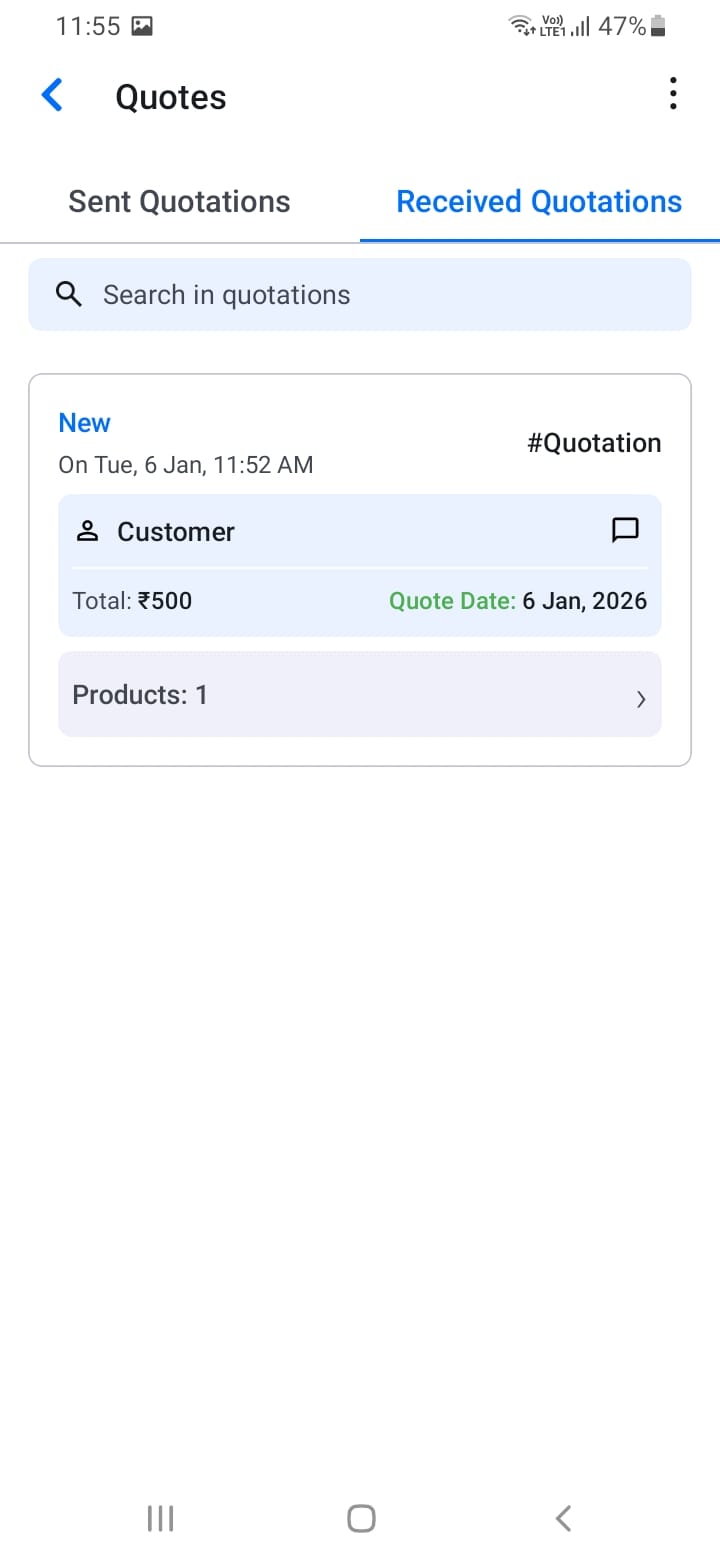
Navigate to the Quotations section from the dashboard or main menu. You'll see two tabs:
- Sent Quotations: Quotations you've created and sent to customers
- Received Quotations: Quotations you've received from other suppliers
Each quotation shows quotation number, customer/store name, status (New, Accepted), total amount, quote date, number of products, and creation date and time.
Use the search bar to find specific quotations by quotation number, customer name, or store name.
[Screenshot: Quotations list with tabs]
[Screenshot: Quotation search]