Accessing Store Settings
To view or edit your store information:
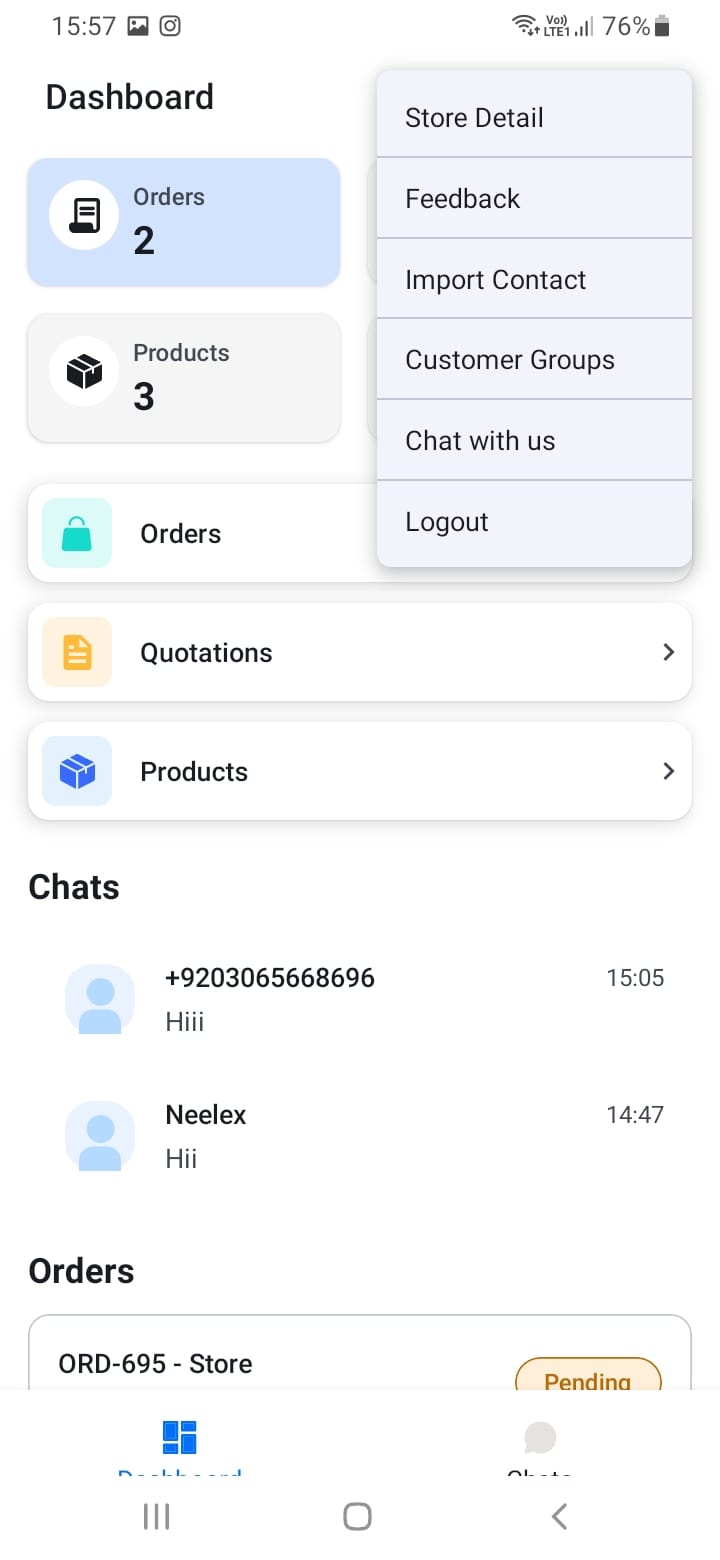
- Open the menu (three dots or hamburger icon) from any screen
- Select \"Store Detail\" or \"Edit Store\"
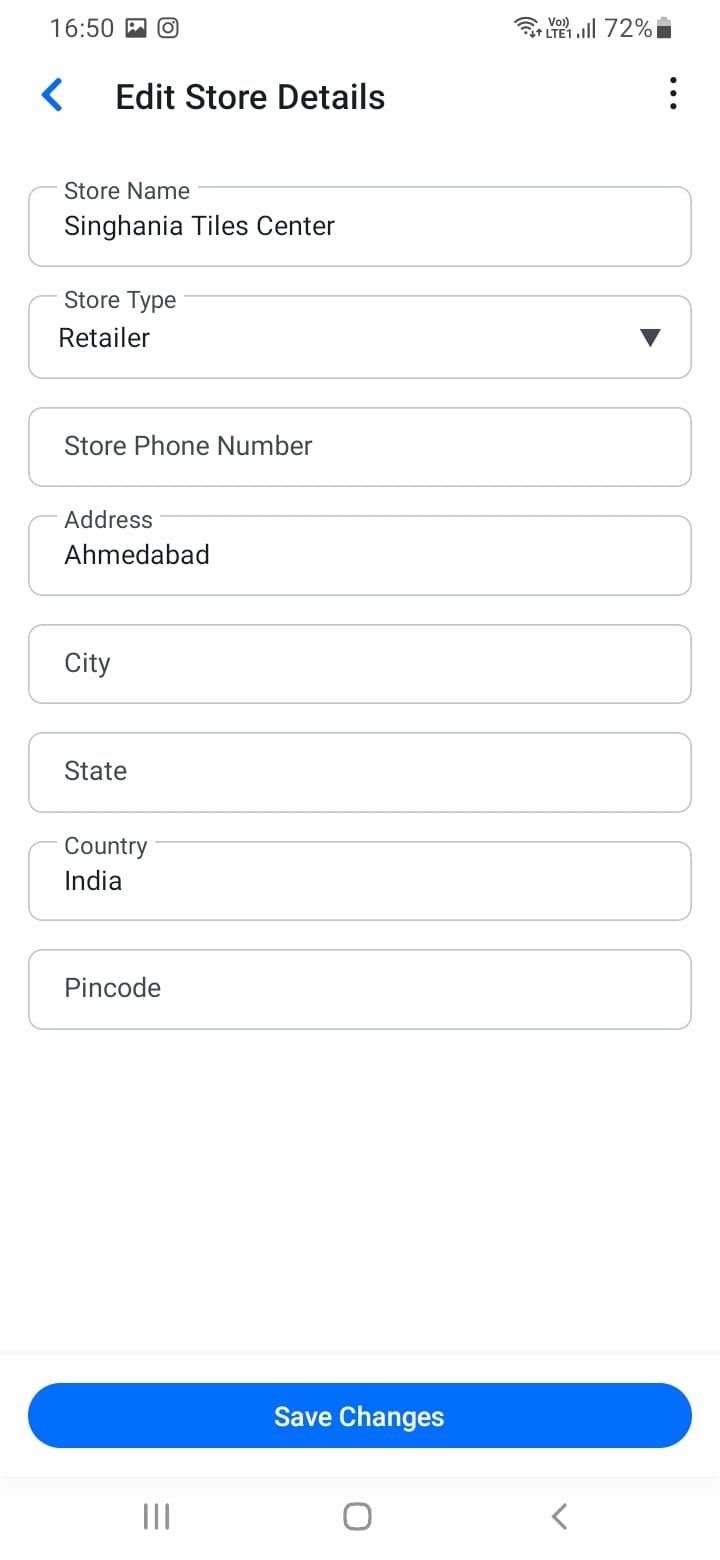
- You'll see your current store information
Your store profile is your business identity on SupplyNet. Keeping it updated ensures customers have accurate information about your business.
[Screenshot: Menu with Store Detail option]
[Screenshot: Store detail screen]