Recent Activity
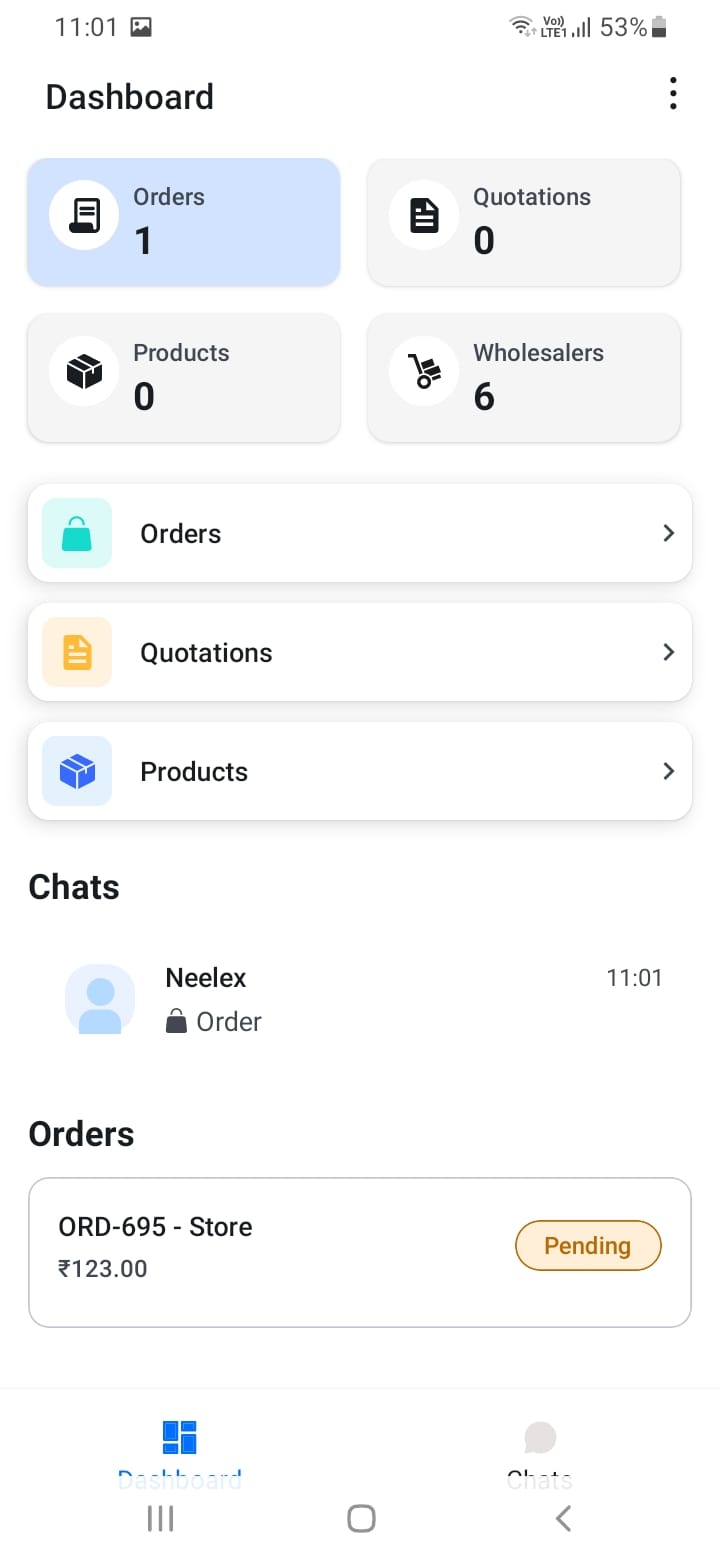
The dashboard shows two important activity sections:
Chats Section: Displays your four most recent chat conversations. Each chat shows the customer name, last message preview, and unread message count. Tap any chat to open the conversation.
Orders Section: Shows your three most recent orders with key information including order number, customer/store name, total amount, and current status. Tap an order to view full details.
[Screenshot: Recent chats section]
[Screenshot: Recent orders section]
The dashboard automatically refreshes when you return to it, ensuring you always see the latest information.