Creating Quotations from Chat
Once you have products in the cart:
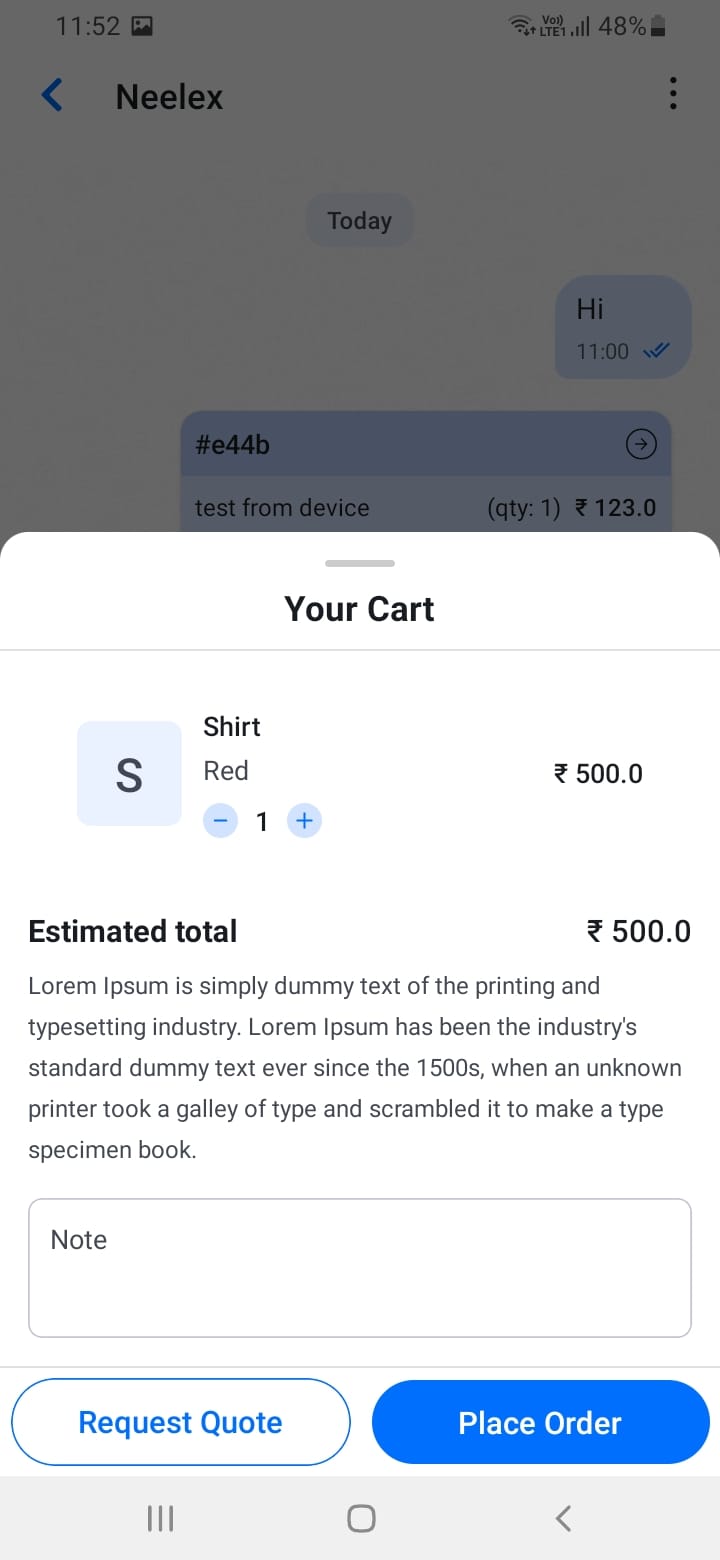
- Tap the cart icon to open the cart bottom sheet
- Review all products and quantities
- Optionally add a note or title for the quotation
- Tap \"Request Quote\" to create the quotation
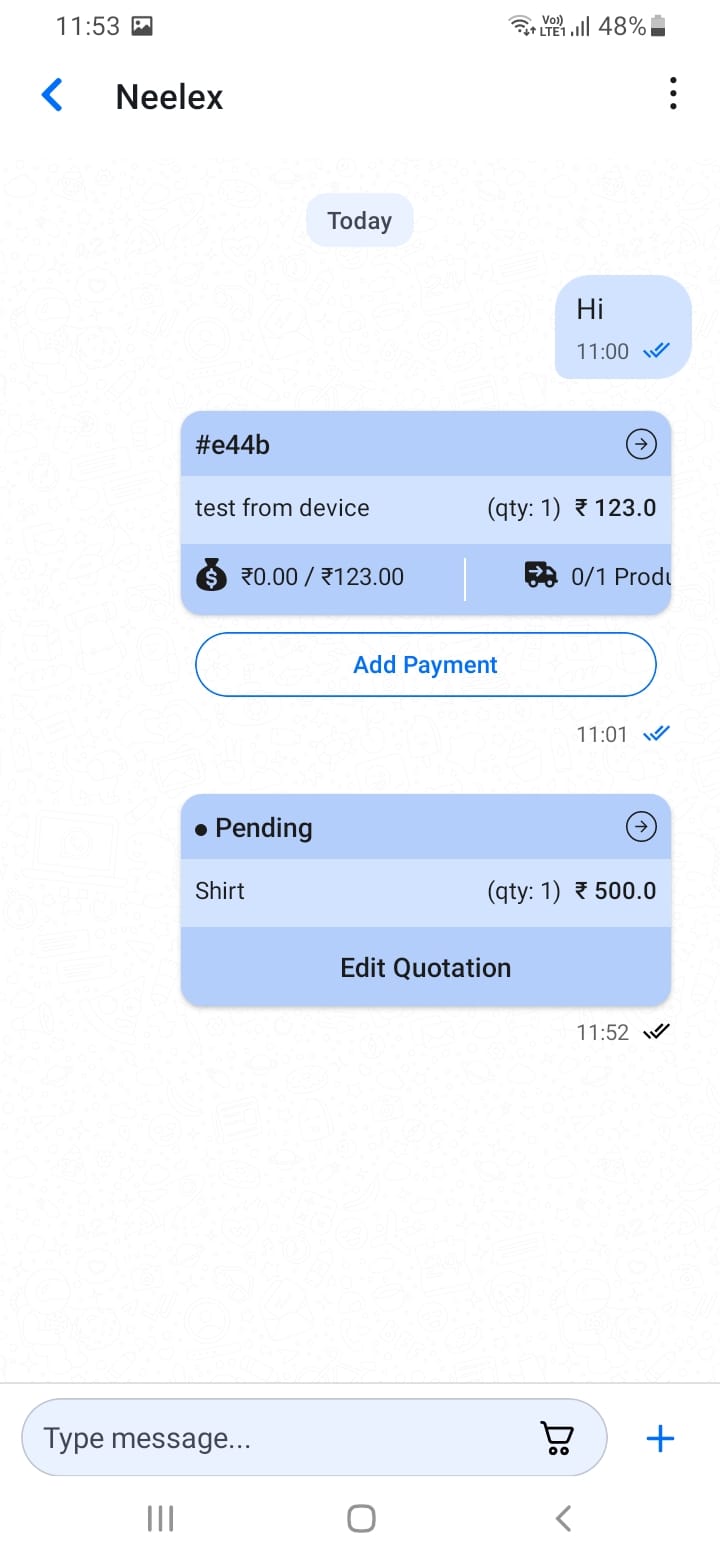
- The quotation is automatically sent to the customer in the chat
The customer will receive a quotation message they can tap to view full details and accept.
[Screenshot: Request Quote button in cart]
[Screenshot: Quotation message in chat]