Adding Products
You can add products in several ways:
- From the Products screen, tap the floating action button (FAB) with a plus icon
- Select whether to add a product with images, without images, or by uploading multiple product images at once
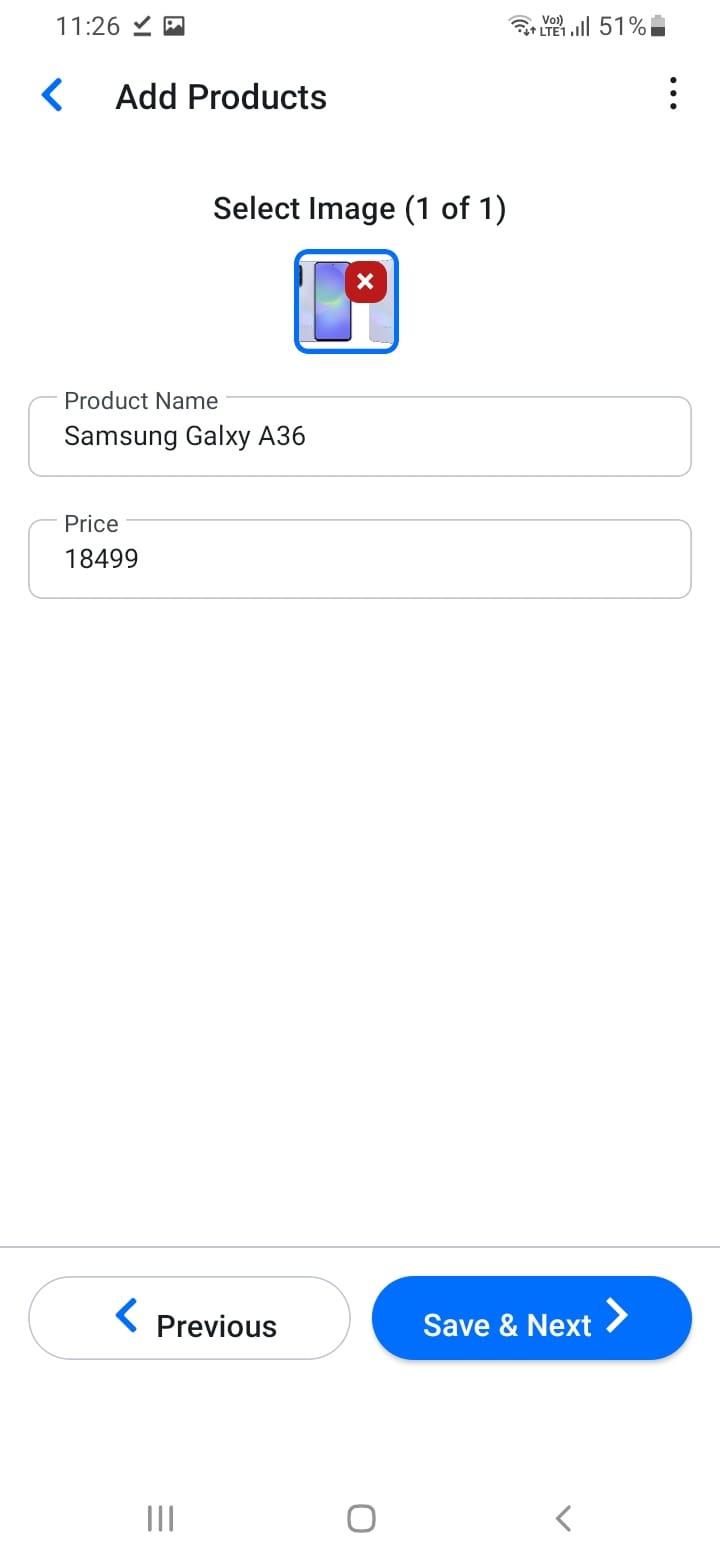
- Fill in the product details:
- Product name
- Select category and subcategory
- Enter MRP (Maximum Retail Price)
- Add product images (if applicable)
- Specify variant details (size, color, etc.)
- Save the product
High-quality product images help customers make purchasing decisions, so include clear photos whenever possible.
[Screenshot: Add product screen]
[Screenshot: Product form with all fields]