Store Setup
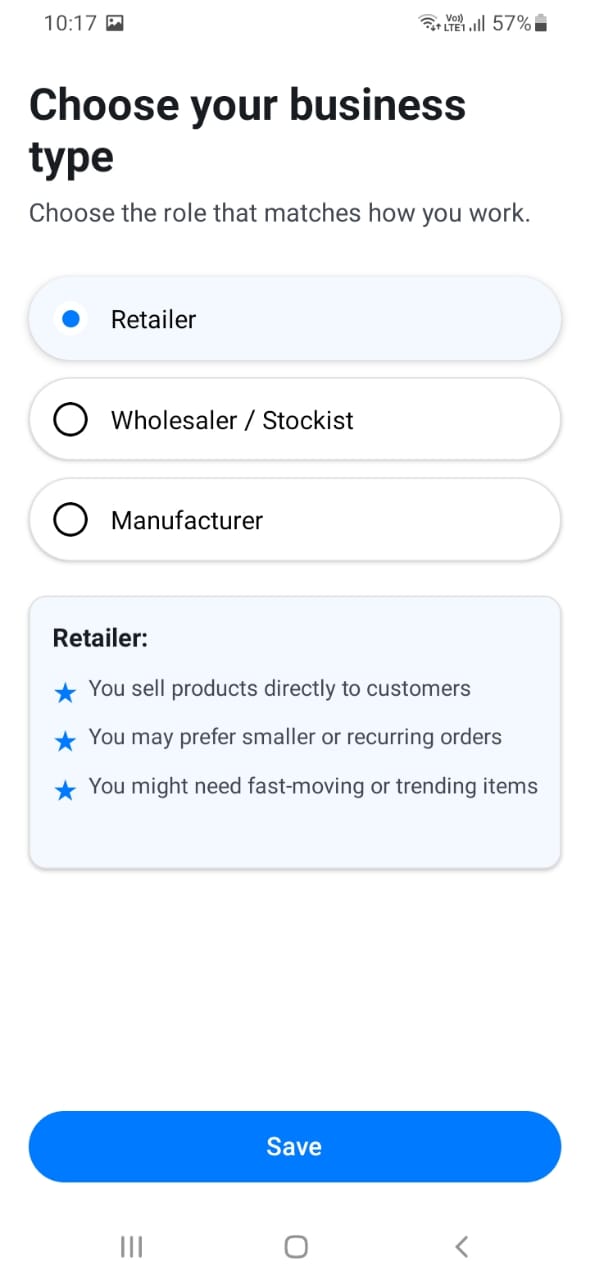
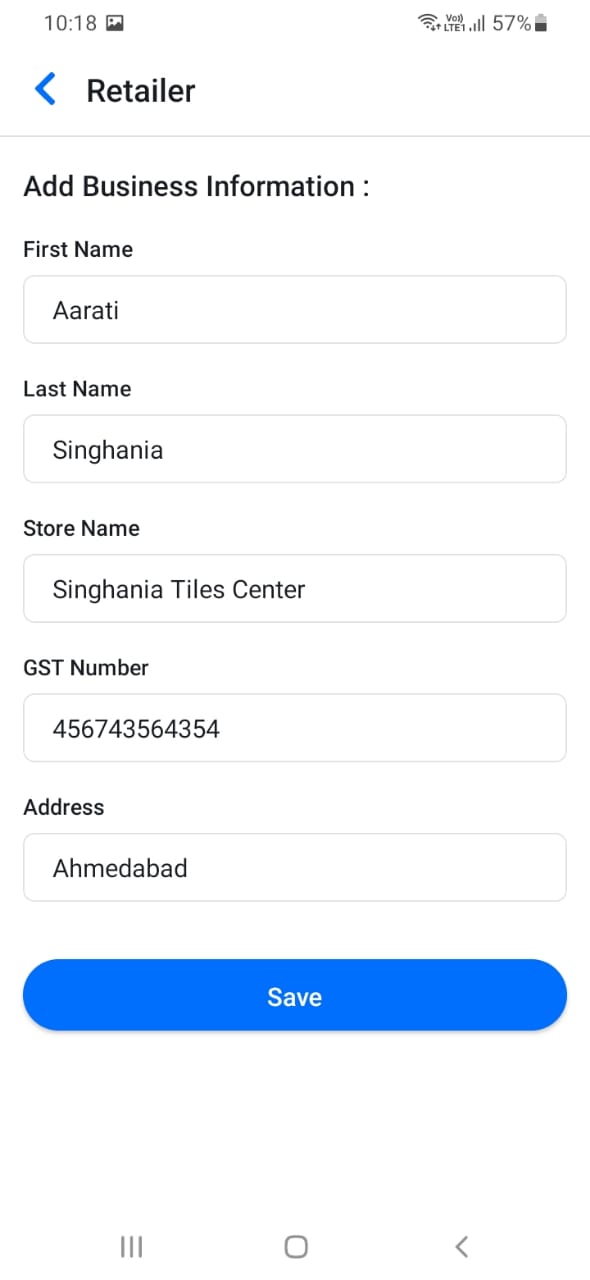
If this is your first time using the app, you may need to complete store setup. This includes selecting your store type (Wholesaler or Retailer), entering your store name, and providing basic business information.
Ensure all details are accurate as they will be visible to your customers. Your store information appears in quotations, orders, and when customers view your profile. You can update this information later from the Store Detail section in the menu.
[Screenshot: Store type selection screen]
[Screenshot: Store creation form]