Adding Products to Cart
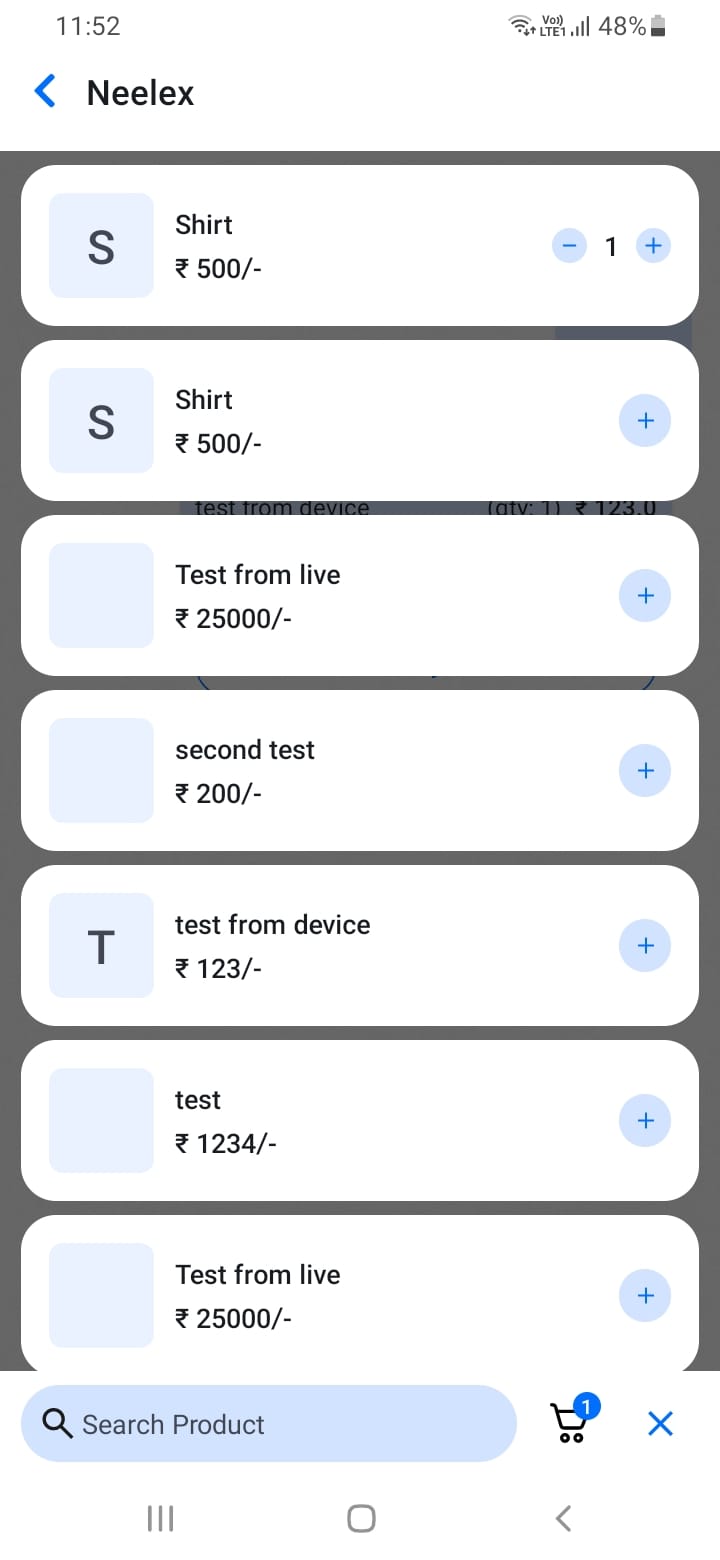
During a chat conversation, you can build a cart of products:
- Share products using the product attachment feature
- Products are automatically added to the conversation cart
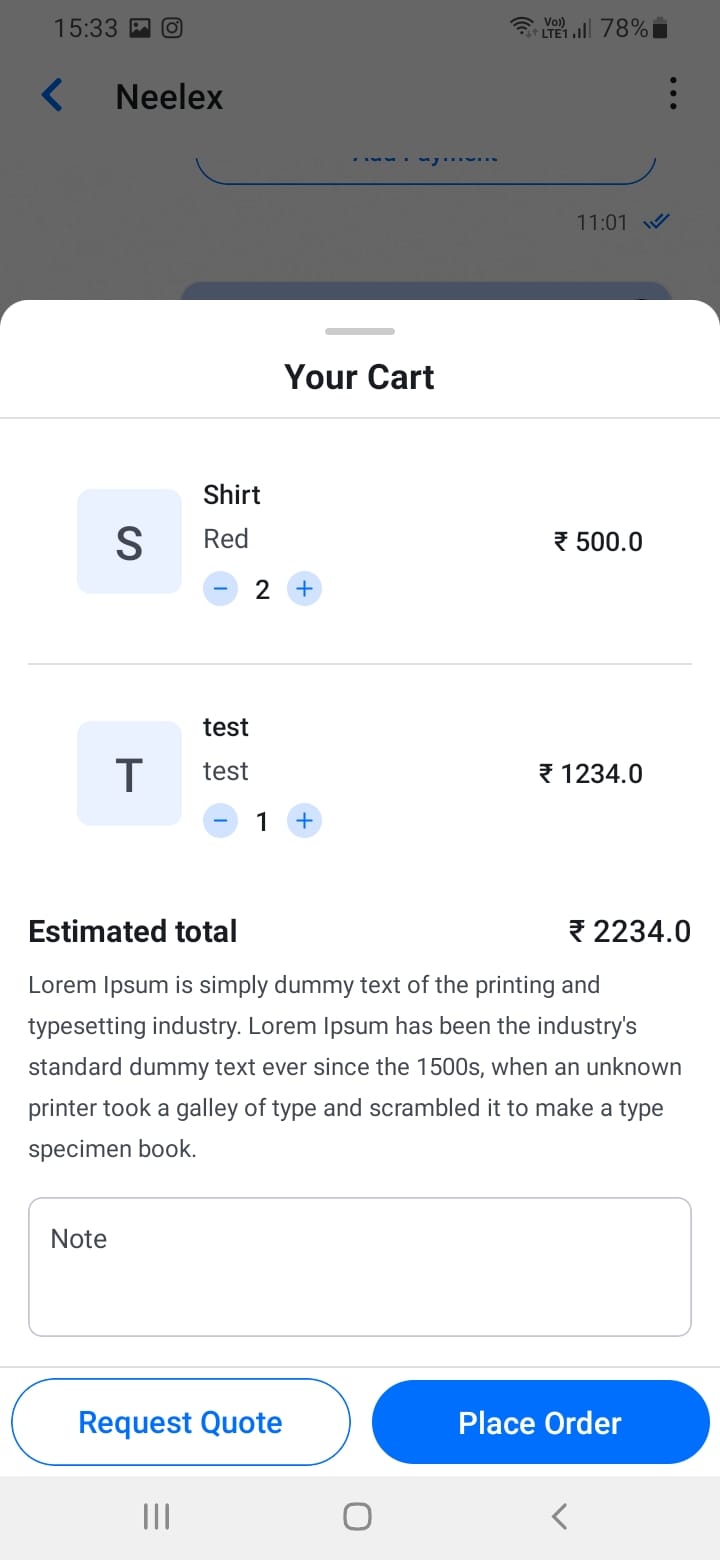
- Tap the cart icon to view all products in the cart
- Adjust quantities using the plus/minus buttons
- Remove products if needed
You can share multiple products in a single chat conversation, and they'll all be included when you create a quotation or order.
[Screenshot: Cart bottom sheet]
[Screenshot: Multiple products in cart]